"Be the change you want to see in the world," this quote from Gandhi has always stuck with me. Will you join me? Together let's make Pinterest a better place. As a collective group, there are many simple & friendly things we can do without disrupting the flow of ideas. Check out our 5 Tips for Pinners and 5 Tips for Bloggers below.
Earlier this year, I gleefully wrote 10 Tips for Playing on Pinterest, but like everything in life, things change as they grow. The Pinterest population has quite literally exploded in the last few months. We have started seeing retailers jump on the bandwagon, we have seen a shift in the social culture, and we have seen articles about copyright infringement flying around.
Have you become a bit weary about pinning?
Take a moment to bookmark this page because...
We are excited to share with you a list of
Pinterest friendly blogs to check out & safely pin, pin, pin from!
Let's work together to mold a creative community that we can be proud to be part of... are you in?
Do you have any tips for playing on Pinterest? Let's chat in the comments.
PS: Is Let's Lasso the Moon a Pinterest friendly blog? Heck yeah, pin away my friends!
..........................................................................................................................................................
Pinners
If you are a Pinterest user start by being mindful of your own behavior:
 Stop and smell the roses. If you find a blog post, piece of art, or idea worthy enough to pin... pause, think, and realize that someone out there took the time and effort to share this amazing thing with you. Share the love! When you pin take a moment to leave them a comment (on their blog, on Twitter, on Facebook) letting them know you appreciated the fact they were gracious enough to share their art or ideas with you on the web.
- You've Been Pinned. Consider leaving a blog comment saying something on the lines of, "This was so cool, I just had to share it" with a link to your pin. If the blogger or artist isn't fond of Pinterest it gives them an opportunity to say, "Thanks, but no thanks" to your free promotion of their site. More importantly though, leaving a comment and sharing the love helps bloggers and artists stay inspired to keep posting on the internet.
- Be Original. When pinning be sure to share from the site of the original owner of the image or idea. Never pin from Google images, an anonymous Tumblr collection, or from search engine results. This is plain old-fashion common courtesy.
- Take a Re-pinning Stand. If you find a pin does not have have an original source, take a stand. Do not re-pin it. Nothing is more frustrating than seeing an awesome project and clicking through to a dead link. Check to be sure that the pin is connected to a website which gives credit to the rightful owner for their idea or photo before re-pinning. This tip will also keep your friends/followers happy. If you are feeling daring, consider taking it a step further and call the original pinner out on their error.
- Silence is Golden. There has been a shift in the comments on Pinterest. While I very openly encourage civil discussion (Tip #5 in Being a Pinterest Punk) I admit being taken back by the nasty comments I've read of late. Not opinions, but flat out mean spirited notes. As my mom used to say, "If you don't have something nice to say, then don't say it at all." Let's use our energy to share, comment, and spread pin worthy ideas.
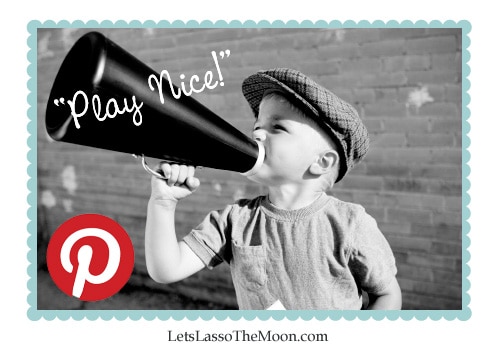 Stop and smell the roses. If you find a blog post, piece of art, or idea worthy enough to pin... pause, think, and realize that someone out there took the time and effort to share this amazing thing with you. Share the love! When you pin take a moment to leave them a comment (on their blog, on Twitter, on Facebook) letting them know you appreciated the fact they were gracious enough to share their art or ideas with you on the web.
..........................................................................................................................................................
Bloggers, Artists, & Small Retailers
 If you are a blogger, an artist, or a small retailer let's come together and make it easy for people.
- Link-up. Let people know your blog is Pinterest friendly by linking up below!
- Put Out the Welcome Mat. If you'd like traffic from Pinterst, let's come together as group and start welcoming pinners. Below is code for a "Pinners Welcome" badge you can showcase on your site.
- Speak Your Mind. Consider creating a dedicated landing page on your site for the "Pinners Welcome" badge. Share your opinion about Pinterest and let people know you'd love for them to pin your work. Need an example? Check out Cork Board Connections. Note: Thanks to Laura at Montessori on a Budget for inspiring the Pinterest link-up concept. They say great minds think alike, I was thrilled to see she too has a Pinterest badge. Click here to check out her "Permission to Pin" version.
- Pin It Button. Adding a classic Pin It Button to your blog posts to reassure readers you'd like them to pin, pin, pin.
- No Candy Here. Ding dong. Ding dong. Ding dong. On Halloween the houses in our neighborhood which do not wish to be bothered by trick-or-treaters simply turn out their porch lights so the children know not to disturb them. If you are not fond of people pinning from your blog pop this code into your HTML and enjoy the silence.
..........................................................................................................................................................
..........................................................................................................................................................